
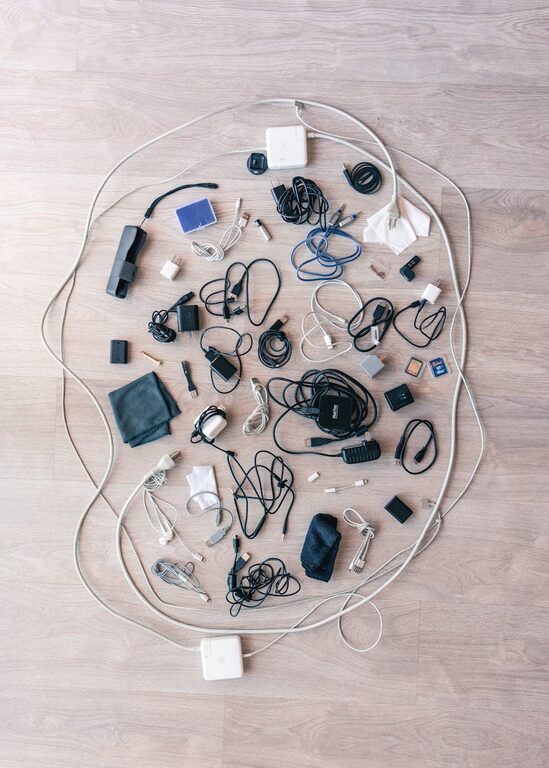
Keeping your cables and chargers organized can transform a messy space into a neat and efficient area. Whether it’s your home office, living room, or bedroom, tangled cords and scattered chargers create distractions and make it harder to find what you need. Fortunately, with some simple tools and habits, you can keep everything tidy and easy to access.
In this post, we’ll explore practical tips and clever ideas to organize your cables and chargers neatly. Let’s dive in!
Why Organize Cables and Chargers?
Before we start, it’s worth considering why organizing cables matters:
– Reduce clutter: Messy cables can make any space look untidy.
– Save time: Organized cables are easier to find and use.
– Increase safety: Prevent tripping hazards and protect cords from damage.
– Extend cable life: Proper storage helps avoid tangling and bending that wear out cables.
Step 1: Gather and Sort Your Cables
Start by collecting all your cables and chargers in one place. Sorting them will give you a better idea of what you have and what you don’t need.
Sort By Type and Frequency of Use
– Daily use: Phone chargers, laptop cables, headphones.
– Occasional use: Camera cables, gaming controllers.
– Rarely used or spare: Old chargers, extra extension cords.
Discard or recycle any cables that are broken or no longer needed. This step alone can reduce clutter significantly.
Step 2: Choose the Right Storage Solutions
There are many storage options available, depending on the number and type of cables you have.
Cable Organizers and Holders
– Cable clips: Stick these on your desk or wall to hold cables in place.
– Cable sleeves: Group multiple cables inside a protective sleeve to keep them bundled.
– Cord boxes: Store power strips and cables inside a box to hide clutter.
– Cable ties and Velcro straps: Use reusable ties to bundle cables neatly.
DIY Organizers
– Binder clips: Clamp cables under your desk or on a shelf.
– Toilet paper rolls: Wrap cables individually and store them in labeled rolls inside a box.
– Muffin tins or small containers: Separate cables in compartments for easy access.
Step 3: Label Your Cables
Labeling is a game-changer when organizing cables. You can use labels or color-coded tags to identify each cable easily.
Labeling Tips
– Use a label maker, masking tape with a pen, or pre-made cable tags.
– Include the device name or type (e.g., “Phone Charger,” “Headphones”).
– For color-coding, assign colors to different device categories.
This simple step will save you time searching later and reduce frustration.
Step 4: Establish Charging Stations
Create dedicated areas for charging your devices. This keeps chargers and cables in one place and reduces scattered cords.
Setting Up a Charging Station
– Use a power strip with multiple outlets.
– Position cable holders or clips near the station.
– Keep only the chargers you use regularly here.
– Charge devices directly on a desk or shelf with minimal cable slack.
Having a specific station helps keep daily charging neat and easy to manage.
Step 5: Manage Cables Behind Your Desk or Entertainment Center
Cables behind furniture are usually the messiest spots. Keeping these organized improves appearance and accessibility.
Tips for Cable Management
– Attach cables to the back of desks or TV stands using adhesive hooks or cable trays.
– Use cable raceways or covers to hide cables along walls or baseboards.
– Bundle cables with cable ties or sleeves before securing.
Regularly check these spots to ensure cables remain organized and avoid tangling.
Step 6: Keep Up With Regular Maintenance
Organizing cables is not a one-time task. Set aside time every few months to:
– Check for cables you no longer use.
– Re-tidy any messy bundles.
– Update labels as needed.
Regular maintenance keeps your system working well and prevents clutter from returning.
Bonus Tips for a Cable-Free Look
– Consider wireless chargers and Bluetooth devices to reduce cables.
– Use longer cables only when necessary; shorter cables are easier to manage.
– Avoid overloading power strips; spread out devices if possible.
Final Thoughts
Organizing cables and chargers doesn’t have to be a daunting job. With these practical steps, you can create a clutter-free and efficient space. Remember to sort, store, label, and maintain your cables for the best results. Soon you’ll enjoy a neat environment with quick access to all your devices—and no more tangled cords!
Try these tips today and see the difference a bit of organization can make. Happy tidying!