
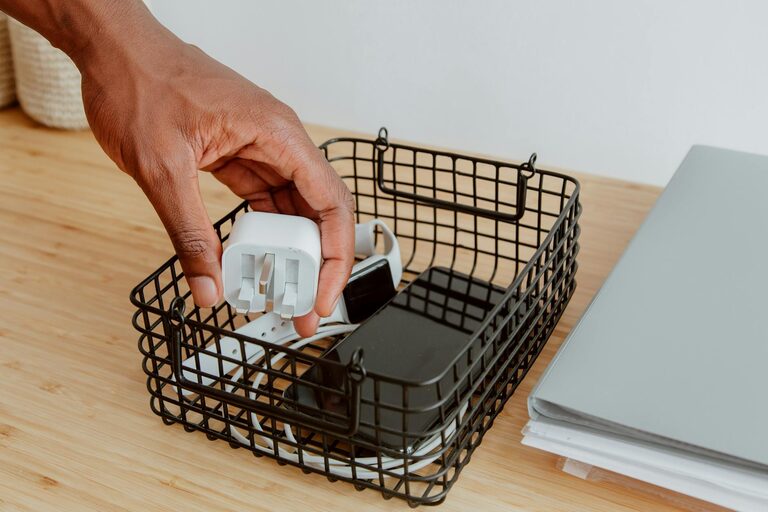
Keeping your cables and chargers organized can significantly improve the look and functionality of your workspace or living area. With multiple devices around us — smartphones, laptops, tablets, cameras, and more — cables often become a tangled mess, leading to frustration when you need to charge or use them. Fortunately, organizing cables neatly is easier than you might think. This post will guide you through practical methods, tools, and tips to keep your cables and chargers in order.
Why Organizing Cables Matters
Before diving into solutions, it helps to understand the benefits of a well-organized cable setup:
– Enhanced Safety: Prevents tripping hazards and reduces the risk of cable damage.
– Easy Access: Saves time searching for the right charger or cable.
– Cleaner Look: Gives your space a tidy, uncluttered appearance.
– Prolongs Cable Life: Avoids stress and bending that shorten cable lifespan.
Step 1: Sort and Declutter
The first step is to take stock of all your cables and chargers.
– Gather Everything: Collect all cables, chargers, power adapters, and extension cords in one place.
– Identify and Label: Separate them by device type (phone chargers, laptop cables, audio cords, etc.) and label them using simple tags or masking tape.
– Remove Unused or Damaged Ones: Discard cables that are broken or no longer needed to reduce clutter.
Taking this step ensures you keep only what’s necessary.
Step 2: Choose the Right Storage Solutions
There are plenty of tools and methods to keep cables organized. Here are some common options:
Cable Ties and Velcro Straps
Reusable cable ties or Velcro straps are inexpensive and efficient.
– Bundle cables individually or in small groups.
– Adjustable straps allow you to add or remove cables as needed.
– Prevents cables from tangling and makes storage simpler.
Cable Organizers and Boxes
Cable organizer boxes or cases help hide chargers and power strips neatly.
– Store chargers and excess cable length inside.
– Keep your desk surface clean and free from visible wires.
– Look for boxes with ventilation to avoid overheating.
Cable Clips and Holders
Attach cable clips to desks or walls to keep cables in place.
– Ideal for frequently used charging cables.
– Prevents cables from falling off desks when unplugged.
– Easy to install and affordable.
Drawer or Bin Storage
Use small bins or labeled drawers to arrange cables by category.
– Great for spare cables or accessories.
– Keeps items dust-free.
– Use dividers to separate different cables and chargers.
Step 3: Shorten Excess Cable Length
Excess cable length often leads to tangling and messy bundles. Here’s how to manage it effectively:
– Cable Winders: Plastic or rubber winders let you wrap excess cable neatly.
– Loop and Tie: Coil the cable in a loop and secure it with a tie or strap.
– Use Right Length: Whenever possible, choose cables of appropriate length to minimize excess.
Step 4: Set Up a Charging Station
A dedicated charging station keeps all your devices and chargers in one spot.
– Use a multi-port USB charger or power strip.
– Position the station near an outlet for convenience.
– Organize cables with clips or holders attached to the station.
– Keep the station on a desk, shelf, or designated corner for easy access.
Step 5: Label Everything for Easy Identification
Labeling is a simple yet effective way to identify cables quickly without untangling them.
– Use small tags, stickers, or masking tape.
– Write the device name or purpose clearly.
– Color-code labels for extra clarity.
Extra Tips for Maintaining Cable Organization
– Regularly review your cables to remove what you no longer use.
– Avoid sharp bends to prevent cable damage.
– Keep cables away from heat sources that could degrade them.
– Invest in quality cables that resist tangling and fraying.
– Store cables that are rarely used separately from daily-use ones.
Conclusion
Organizing cables and chargers neatly doesn’t require a large investment or complex skills. By decluttering, choosing the right storage solutions, shortening excess cable, setting up a charging station, and labeling your cables, you can keep your space both functional and beautiful. Start today, and enjoy a clutter-free environment that makes charging and using your devices hassle-free.
Feel free to share your own tips and experiences in the comments!